Native Mac AI image editor
One workspace for all your image tasks.
babbleBrush is a native Mac image editor where every prompt becomes a version you can branch and go back to. Bring your own Gemini or xAI key, pay once, and keep everything on your Mac.
One-time $29 · bring your own AI key · macOS 26+
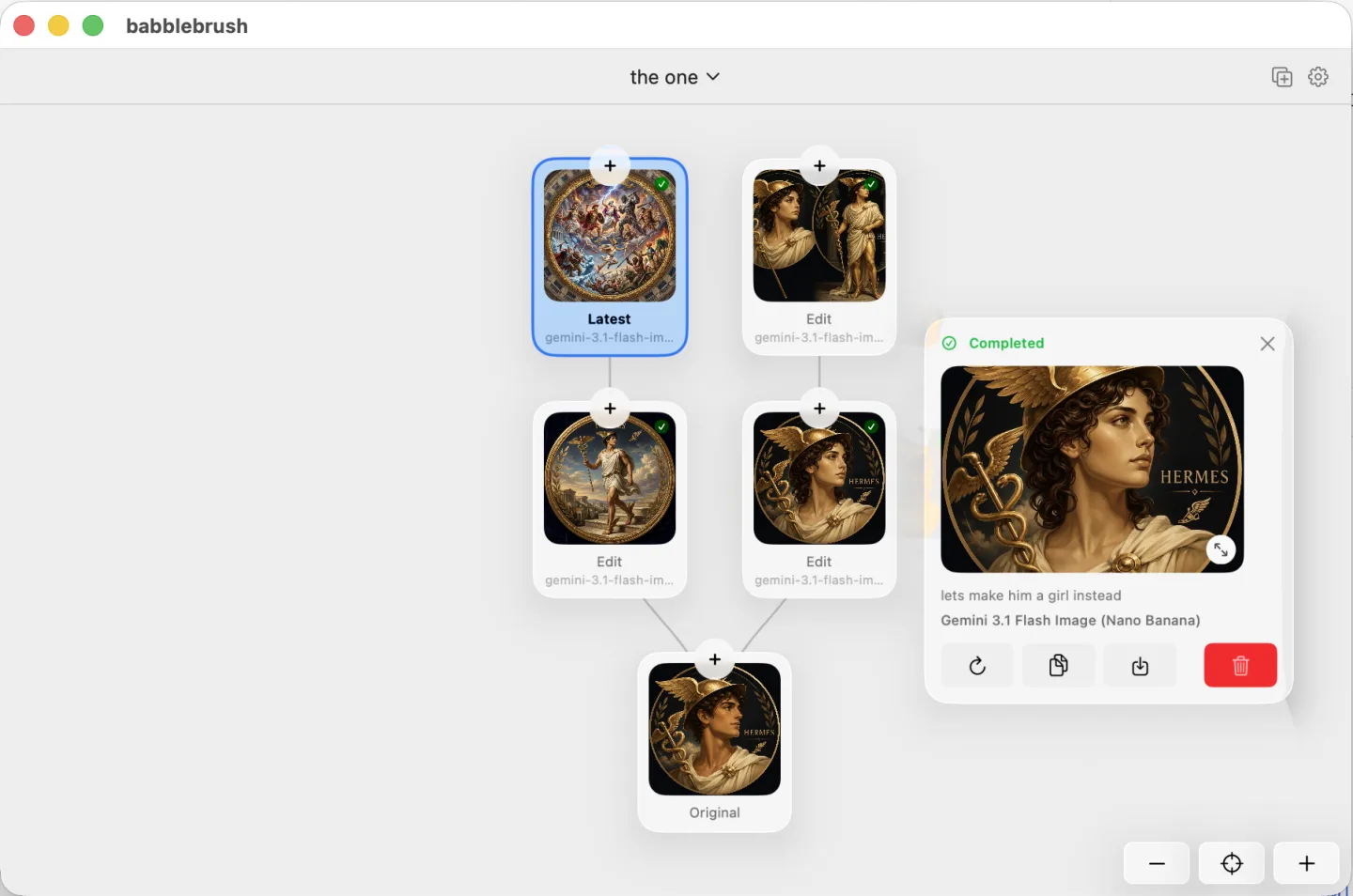
Yours, on your Mac.
Edit by prompting
Say what you want changed and babbleBrush makes the edit. No layers or tool palettes to learn.
Every edit is a version
Branch experiments from any point, compare them, and jump back to any earlier state. Nothing is ever overwritten.
Local and private
Your images and full edit history stay on your Mac. Nothing is uploaded to our servers.
Your keys, pay once
Bring your own Gemini or xAI key and pay the provider directly — no markup, no subscription. The app is a one-time purchase.
One price. Yours forever.
Pay once, use babbleBrush forever, and get a full year of updates.
Early-bird price — going up to $59 soon.
- 1 year of updates included
- Keep the app forever, even after updates end
- Activate on 1 Mac
- Your images and edit history stay on your Mac
FAQ
Common questions
Which AI models can I use?
Bring your own key for Google Gemini (Gemini 3 Pro, 3.1 Flash / Nano Banana, 2.5 Flash) and xAI (Grok Imagine Image and Pro). More providers are coming — you always pay the provider directly, with no markup from us.
Do I need my own API key?
Yes. Paste a Gemini or xAI key in Settings and babbleBrush calls the provider directly from your Mac. Generations are billed by that provider, not by us.
How does pricing work?
The app is a one-time purchase — pay once, keep it forever, with a full year of updates included. Image generation is pay-as-you-go through your own provider key.
How many Macs can I use it on?
Each license activates 1 Mac. You can free that seat anytime from Settings → License and activate on another Mac.
Where are my images and history stored?
Entirely on your Mac. Canvases, versions, and edit history are kept locally — nothing is uploaded to our servers.
What do I need to run it?
A Mac with Apple Silicon running macOS 26 or later.